

How to calculate waste when cutting sheets
Waste = sheet area minus parts area, adjusted for kerf.
The formula is simple; disputes start over kerf and offcuts still usable. While the shop counts by eye and accounting counts by sheet purchase, you have two truths.
Basic formula
Utilization = part area / consumed sheet area. Waste = 1 − utilization. Count parts at dimensions after allowances that actually go into the cut, not client "clean" sizes if edge work eats millimeters.
Kerf is area too. It differs on laser vs. glass table. Forget kerf and utilization looks better than on the floor.
Usable offcut ≠ waste
An 800×300 piece of the same material is not waste if it goes to stock. A 40×800 strip that fits no price list item is waste even if it is "still glass." Mixing them in one percentage is harmful: you punish cutting for honestly returning material to stock.
Track two numbers:
- scrap waste (cannot reuse);
- return to stock (can reuse).
Management cares about scrap. Purchasing also cares how much is "frozen" in offcuts.
Do not fool yourself with one percentage
One ideal order of large rectangles may show 92%. A batch of small inserts — 78%. Comparing shifts on raw percentage without order structure is meaningless. Look at median by material type and thickness over a month.
Another trap: calculate utilization from catalog format but cut an actual sheet of different size. Then the percentage lies both ways.
What software should show
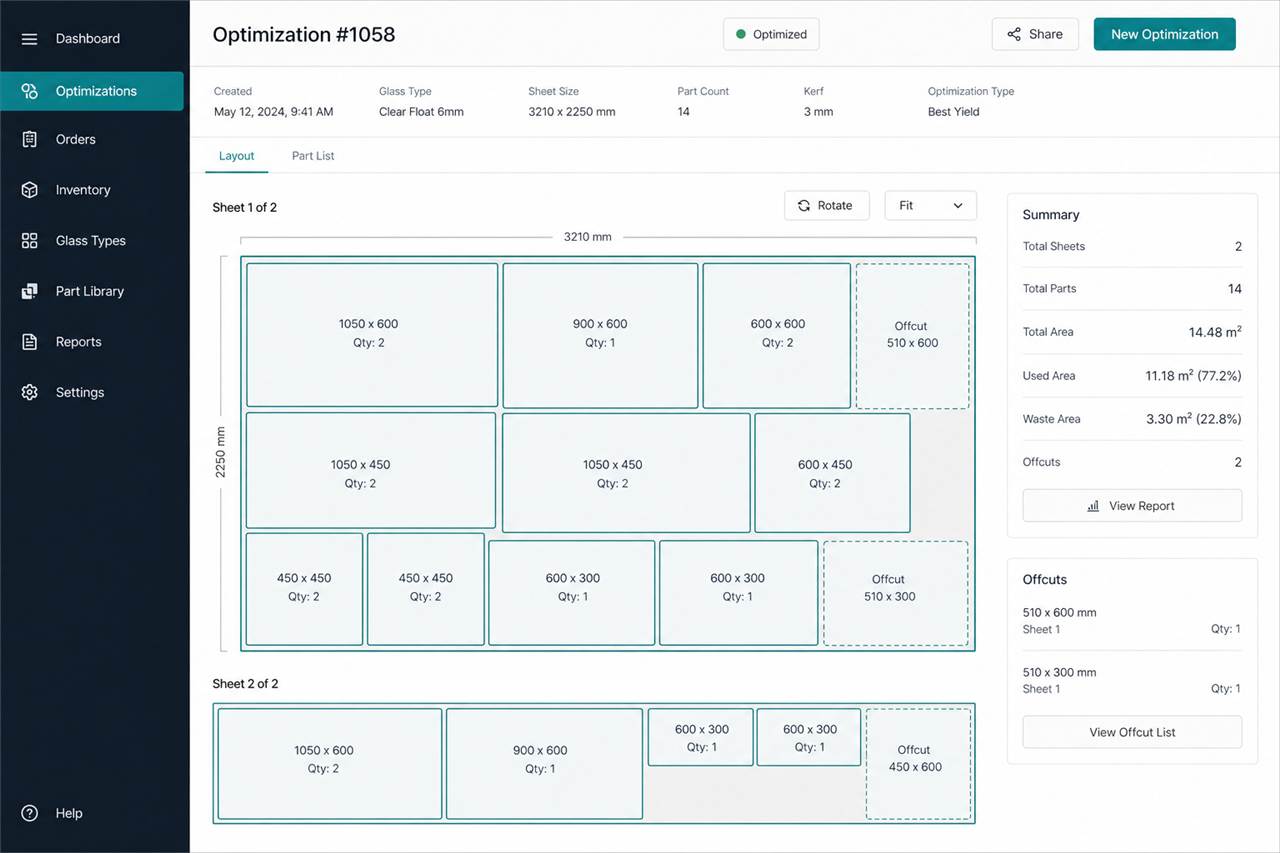
List Master demo returns both utilization and waste percentages plus an offcut list. That is enough to argue with facts, not "it felt better before." Save the map to the order: in a month you will see which customer profile eats sheets and adjust pricing, not just the machine.